
1
Define the opening guide axis or width/height values
Define the opening guide axis or width/height values.
Beta
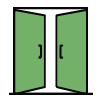
A door component for the classic architectural door that still takes too many clicks to model correctly.
Replace this block with a YouTube embed, animated GIF, or screen capture showing the tool in action.
How it works
The exact controls can evolve during beta, but the page structure is ready for final documentation.
Define the opening guide axis or width/height values.
Choose single or double panel configuration.
Set swing side, opening direction, panel detail, and handle options.
Bake the generated geometry and symbol into Rhino.
Controls
This section doubles as a sales explanation and a practical guide for users once they download the tool.
More in Doors
A pivot-door workflow for offset pivots, double-acting behavior, panels, handles, and improved 2D notation.
Open tool page →
A future assembly-level door workflow for more complete door systems, panels, frames, hardware, and coordinated outputs.
Open tool page →