
1
Select or define the opening guide axis
Select or define the opening guide axis.
Beta
A fast way to turn an opening into a modeled fixed window without rebuilding the frame from scratch.

Replace this block with a YouTube embed, animated GIF, or screen capture showing the tool in action.
How it works
The exact controls can evolve during beta, but the page structure is ready for final documentation.
Select or define the opening guide axis.
Set width, height, frame depth, visible frame size, and sill height.
Choose infill type and division logic.
Preview, adjust, then bake when the option is ready.
Controls
This section doubles as a sales explanation and a practical guide for users once they download the tool.
More in Windows
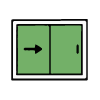
Generate sliding window systems with tracks, panels, glass, overlap logic, mosquito screen options, and 2D arrows.
Open tool page →
A planned hinged-window workflow for casement-style studies, panels, frames, glass, and opening symbols.
Open tool page →